
August 24, 2020
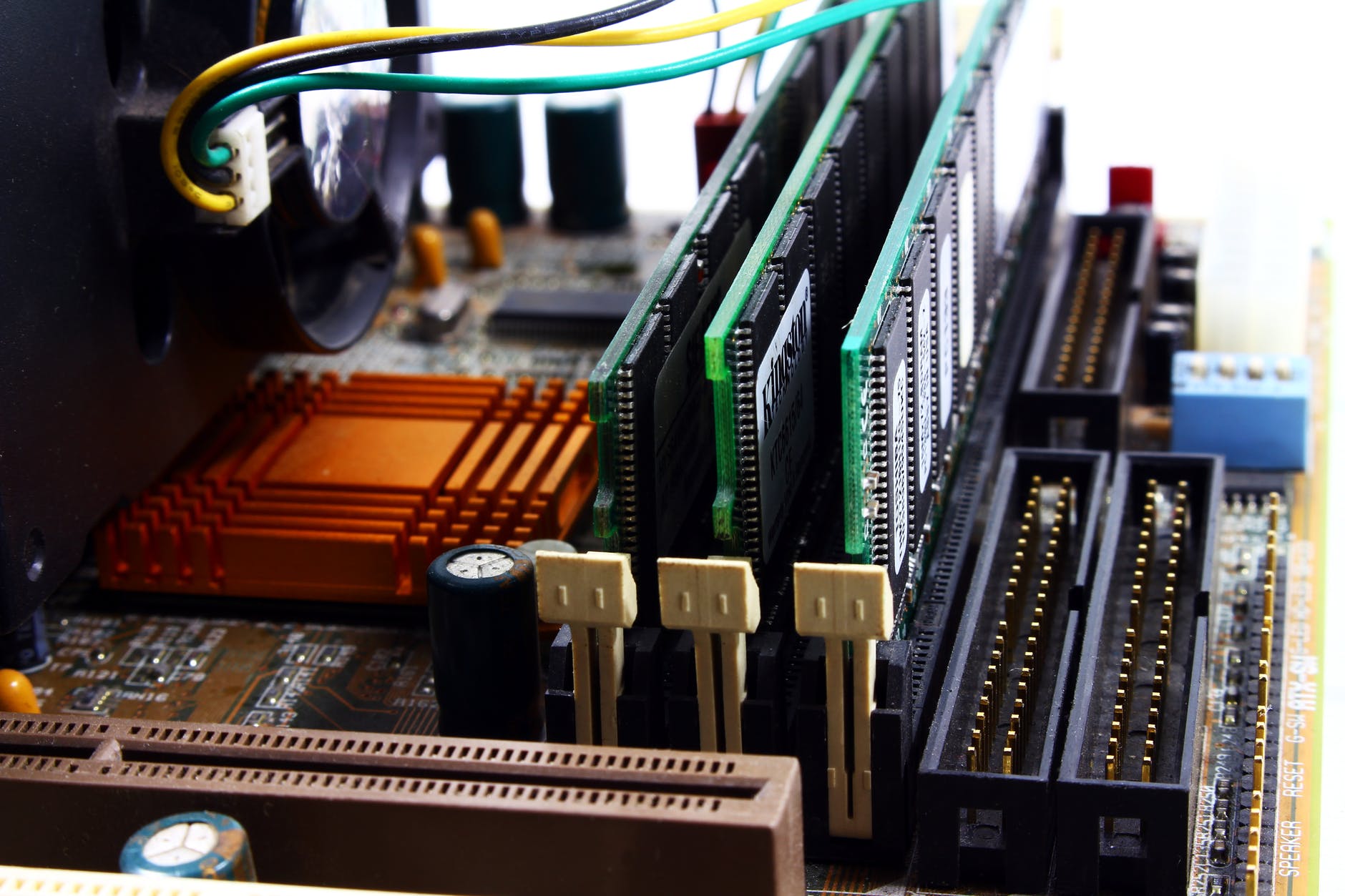
System memory is like the workbench of the computer. It gives the CPU a place to store and read information very fast. The system memory operates at GHz instead of the MHz that SSDs and HDDs operate at. Volatile memory uses pluses electric current that refreshes the memory to retain the data it is storing. It is used as temporary storage for the system memory which is a type of RAM (random access memory). The system memory is usually referred to as RAM. The other type of memory is a non-volatile memory. It does not need an electric current to retain data and is usually used for flash storage like flash drives. It operates at much slower speeds than volatile memory. It is used for ROM (read-only memory). Two of the main reasons we use volatile memory for the system’s memory is that it is cheaper and it is much quicker. Most of the time the system bus is the bottleneck of the whole system’s speed.
RAM comes in different types, speeds, and sizes. DIMM is the form factor that we use today in desktop applications. It stands for dual in-line memory modules. It is a 64-bit architecture. Sometimes the system bus and RAM may be able to be overclocked by applying more voltage. Overclocking can lead to more heat and possible data being dropped and that data has to be corrupted. If the motherboard is built on a 32-bit architecture, then only four gigs of system memory can be used and seen by the system. If the motherboard is built on a 64-bit architecture then the theoretical limit is 16 exabytes but the motherboard usually will have a max supported system memory. You need to check the specifications to see what the motherboard supports. Technically you can use different speed RAM in the same system but it is not recommended by most motherboard manufacturers. When different speeds are used, all of the RAM will operate at the slowest speeds.
Memory can either be ECC or non-ECC. ECC stands for error correction code. The average desktop computers use non-ECC memory. This is because ECC memory can be very expensive. ECC can detect integrity issues in data and can fix them. ECC memory is usually used in servers where data is very important and days loss could result in lost money or revenue. ECC memory can be differentiated by how many chips are on the memory modules. ECC memory has nine chips on each side of the module and non-ECC memory has 8 on each side. ECC memory is a type of EDAC memory or error detection and correction memory.
Memory can also be either parity or non-parity. Parity is a type of passive error detection memory but it cannot do any error correction. Parity memory isn’t used today because there is no error correction. Parity memory attaches a bit to the byte off data to check the data for an error. You can have either even parity or odd parity. If it’s even parity all the bits have to add up to an even number and the parity bit will be changed to make that happen before the data is sent. Likewise, if it is an odd parity then the parity bit gets changed so that all the bits add up to an odd number.
Memory can also be buffered, also called registered, or unbuffered also called unregistered. Buffered memory increases the performance of the memory and can increase speeds. Buffered memory adds a staging area between the memory controller and memory. The memory controller can offload some of the work to the buffer. This type of memory is usually found in high-end systems. Unregistered memory doesn’t have any buffer. Sometimes you will see UDIMM in the name of memory and the U stands for unregistered. The motherboard also has to support this type of memory.
There are three different RAM types. SRAM is static random access memory. It acts close to ROM because of the way data is stored. It can also retain memory with no power for a while. This type is used in caches such as CPU caches and it is very expensive. DRAM is a dynamic random access memory. This type of RAM is not synchronized with the system bus or CPU. DRAM is slower and not as efficient as other types. It is used for system memory but is not commonly used today. SDRAM is a synchronous dynamic random access memory. It is an upgrade to DRAM. It synchronizes its clock speed with the system bus allowing high speeds and much more effective data transfer. Most all modern system memory is SDRAM.
DDR, DDR2, DDR3, and DDR4 are all types of SDRAM. DDR stands for double data rate. The full name is DDR-SDRAM but SDRAM is usually left out of the name. DDR memory is accessed at the start of a clock cycle and again at the end of the clock cycle so there are two accesses per clock cycle hence the name double data rate. JEDEC is the organization that sets the standards for the DDR specifications. DDR doubles the rate of data over the original SDRAM or SDR (single data rate)-SDRAM. DDR2 doubles data rates of DDR RAM. DDR3 doubles data rates of DDR2. DDR4 is faster than DDR3, has lower power consumption, and allows for more density on a single chip. Because of the lower power, you are going to need less error correction because there will be less electromagnetic energy. This allows the memory to perform more efficiently. Usually, you will see heat spreaders on DDR4 RAM because of the increased data that can be processed on them and the speeds that they are capable of. Heat spreaders are like heat sinks for memory modules. It is important to note that the different types of SDRAM are not forward or backward compatible. They have different keys or notches in the cards that don’t allow them to be mixed up. They also have different pin counts. DDR has 184 pins, DDR2 and DDR3 have 240 pins, and DDR4 has 288 pins. The industry name is what the manufacture will use to specify the type of memory. It is PC then the DDR type then the hyphen and then the transfer speed. You can divide the transfer speed by the number of bits in a byte which is 8 and you will get the speed of that RAM.
| JEDEC Name | Industry Name | Transfer Rate | Speed |
| DDR4-3200 | PC4-25600 | 25600 MBps | 3200 MHz |
| DDR3-1600 | PC3-12800 | 12800 MBps | 1600 MHz |
| DDR3-1333 | PC3-10600 | 10600 MBps | 1333 MHz |
| DDR2-1066 | PC2-8500 | 8500 MBps | 1066 MHz |
| DDR2-533 | PC2-4200 | 4200 MBps | 533 MHz |
| DDR-400 | PC-3200 | 3200 MBps | 400 MHz |
| DDR-266 | PC-2100 | 2100 MBps | 266 MHz |
RAM slots on motherboards can be single channel, dual channel, triple channel, or even quad channel. When a single channel DIMM slot is used, only one DIMM slot can have memory accessed during one clock cycle even though the CPU operates at a faster clock rate. Dual-channel DIMM slots allow for a pair of DIMM slots to be accessed in one clock cycle. DIMM slot pairs are usually noted on the motherboard or will be in the motherboard specifications.
SRAM is what is primarily used for cache memory for CPUs. It is faster than SDRAM. It is very expensive. You usually see only a few MB of SRAM used on a CPU. SRAM is a multi-level memory with L1, L2, and L3. You always see L1 and L2 on the CPU die and sometimes you will see the L3 cache on the CPU as well but sometimes it is on the motherboard. The CPU has direct access to this RAM and it is faster than SDRAM. The CPU will store sets of commands that it repeatedly uses in the SRAM. The SRAM is on an internal bus called the back bus. The system bus in considered an external bus because it is not directly on the CPU. It takes longer for the CPU to go through an external bus than it takes to go through an internal bus. The nice thing about the SRAM is that it doesn’t need power to retain that information for a short time.

 Chris' Tech Blog